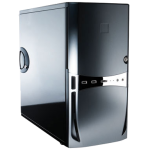
I think VMware ESXi server is something marvellous. Being able to create multiple virtual machines with different operating systems, apps and configurations, simulate multiple networks, routers and switches, and all in one single server – pure awesomeness! And best part is – it's free.
After putting together acquiring my new whitebox server it was time to reward it with a spanking new OS. Some prior research indicated that not all onboard components were supported by ESXi 4 and some geeky tweaking would be required. Luckily I was armed with a pretty good resource on how to get ESXi working on my server. Huge thanks goes to vm-help.com and its community.
After checking the Whitebox HCL, I knew I might have some problems with my onboard Realtek NIC (have seen that before) and possibly JMicron IDE controller. But there is a way to load precompiled drivers before or, if you are lucky, after the install. This can be achieved by creating a custom oem.tgz package that should contain your device drivers and file to tell OS what those devices are by mapping their PCI IDs to drivers.
First step is to get the PCI IDs of my hardware. Once again vm-help.com had it covered for me. I booted my server with Ubuntu Live USB, never leave your house without it, and ran this command:
$ lspci -nn
Here's how the devices in question show up, the [10ec:8168] and [197b:2363] are the PCI IDs I was looking for:
04:00.0 IDE interface Mass storage controller: JMicron Technologies, Inc. JMicron 20360/20363 AHCI Controller [197b:2363]
06:00.0 Ethernet controller [0200]: Realtek Semiconductor Co., Ltd. RTL8111/8168B PCI Express Gigabit Ethernet controller [10ec:8168] (rev 02)
Next step is to create custom oem.tgz package and, in my case, merge it with installation image, since ESXi would refuse to install after failing to detect the Realtek NIC. It's quite a bit of pain to do by hand, so I decided to try a very neat little automation script by Varazir that can bundle it all for you nicely plus gives you a ton of additional features to choose from. In particular, things like:
- enabling SSH, FTP and Rsync on your server
- merging your custom
oem.tgz file into installation ISO
- creating a live or installation USB image
All I needed was the original ESXi ISO image, a custom oem.tgz file with drivers for my hardware, large enough USB stick and that script. I already had three out of four, just need those drivers. I must have been lucky, because the first community package I tried worked. It already had both JMicron and Realtek drivers and with the Varazir's script I had the installation USB with my drivers and extra features in minutes. I only had to do a small tweak to oem.tgz file to update the simple.map file with PCI IDs for my system.
I am now a proud owner of a Whitebox ESXi 4 Server!